March 2026 Product Updates
In March, we rolled out a “Likely to Respond” Indicator, a new Candidate Pipeline view, AI-Written Outreach Step, CSV Import Field Mapping, and MCP (Invite-only).
In March, we rolled out a “Likely to Respond” Indicator, a new Candidate Pipeline view, AI-Written Outreach Step, CSV Import Field Mapping, and MCP (Invite-only).
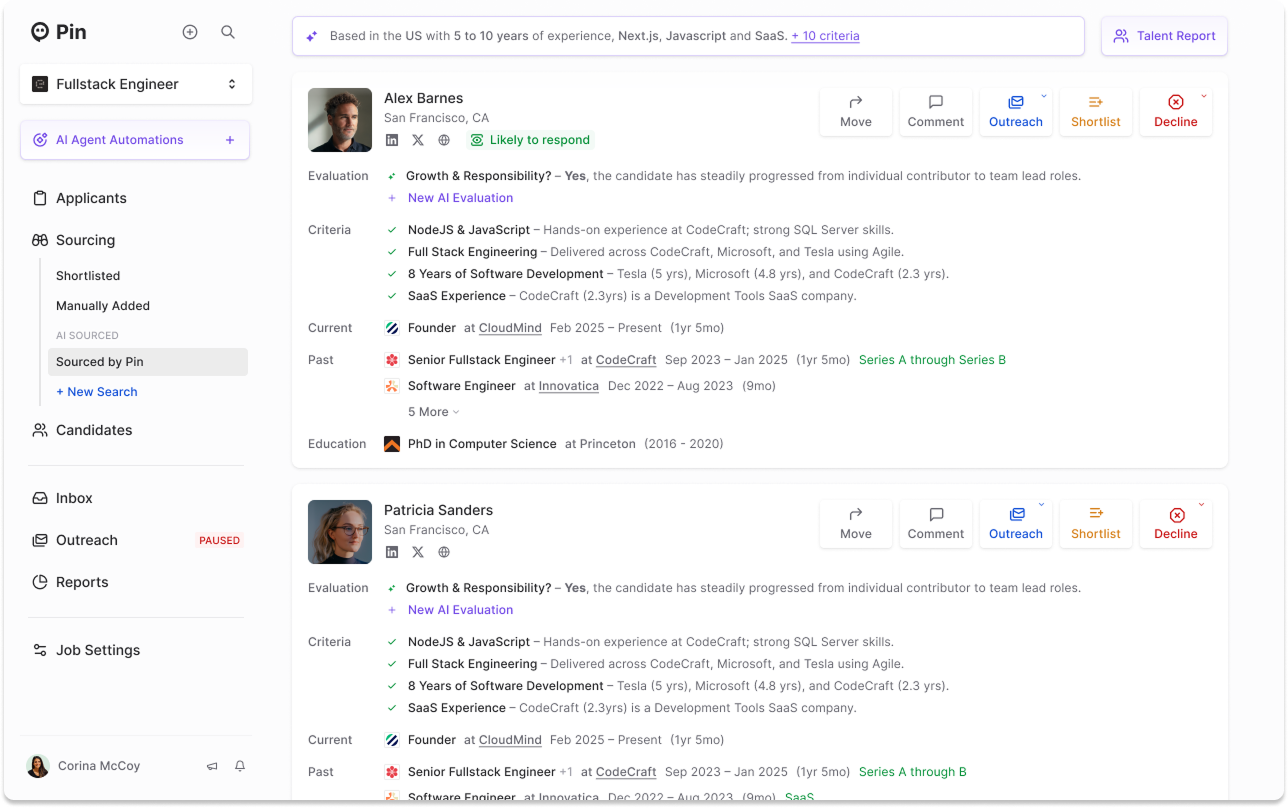
Candidate profiles now show a "Likely to respond" badge so you can instantly see who's worth reaching out to. You can also apply this filter in the search criteria to surface these candidates so you can focus your outreach where it's most likely to pay off.
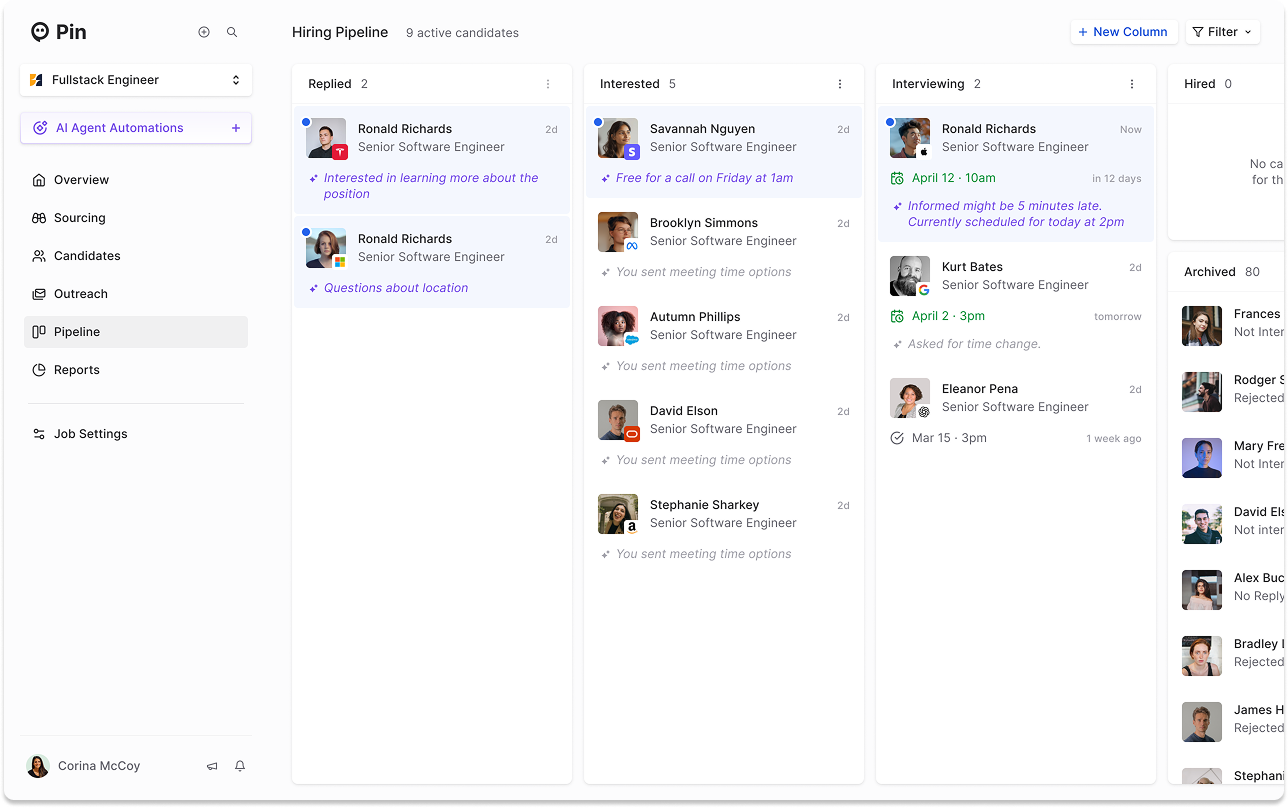
A new board view lets you visually manage candidates across stages, with fast, reliable filters so you can sort and narrow your pipeline without the lag.
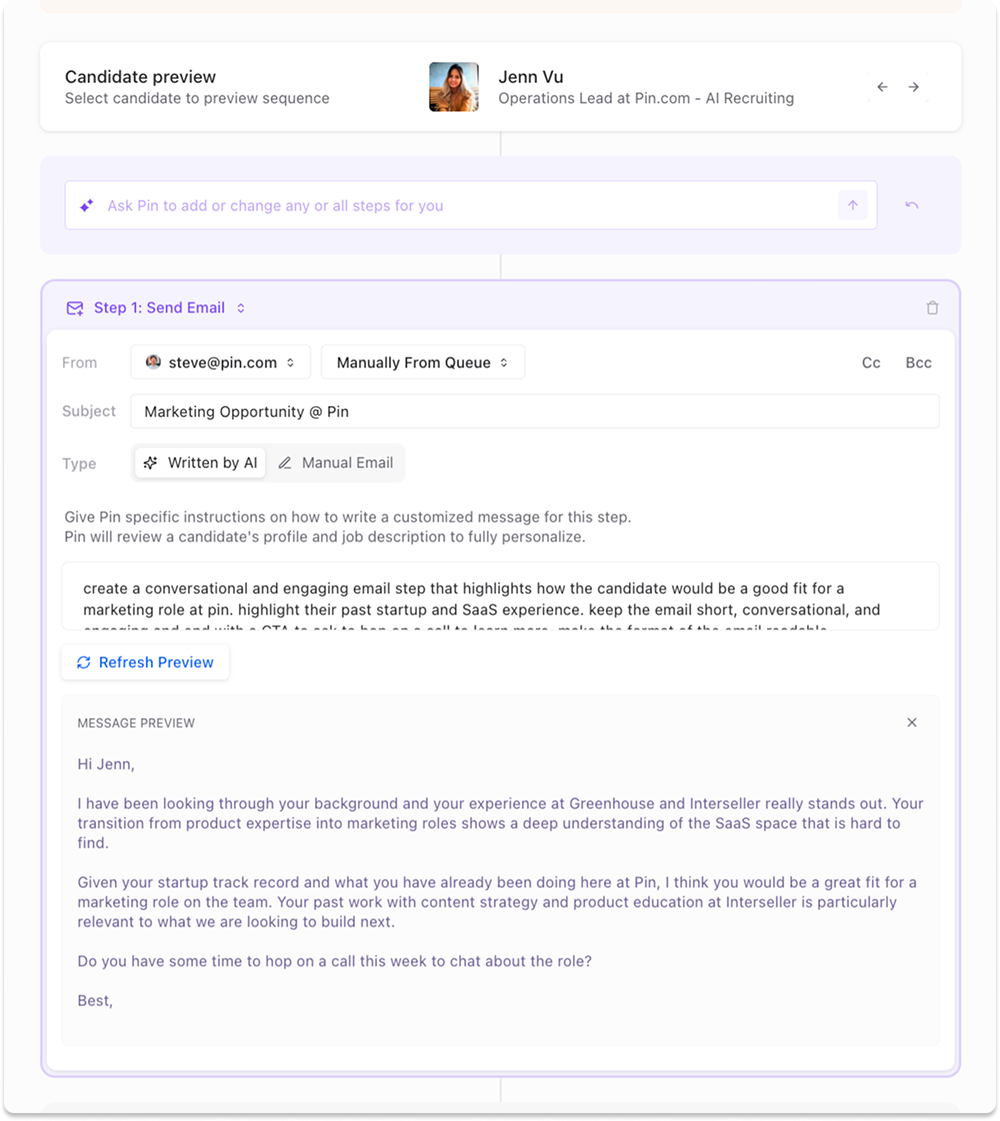
Give Pin some instructions and it'll write your outreach from scratch. Pin reviews each candidate's profile and your job description to craft a fully personalized message for every step in your sequence so there's no editing required.
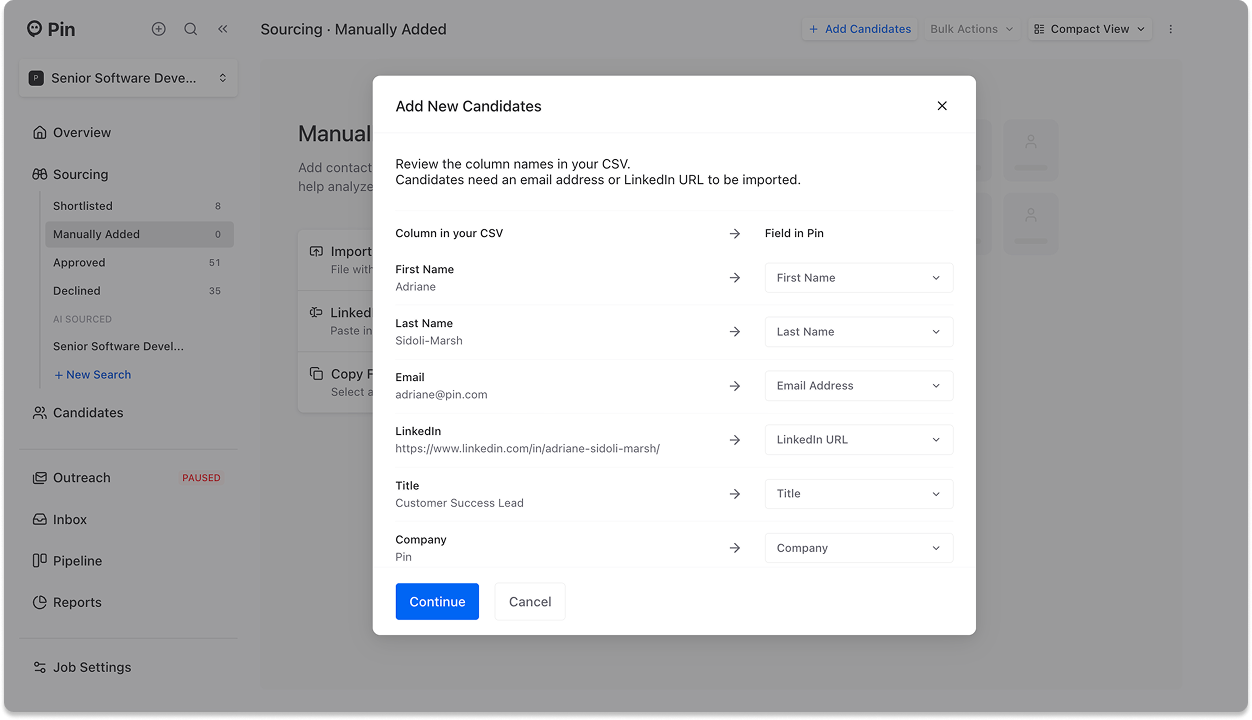
Importing candidates via CSV just got easier. Map your existing column names to the correct fields in Pin so you can import your file as-is, no reformatting required.
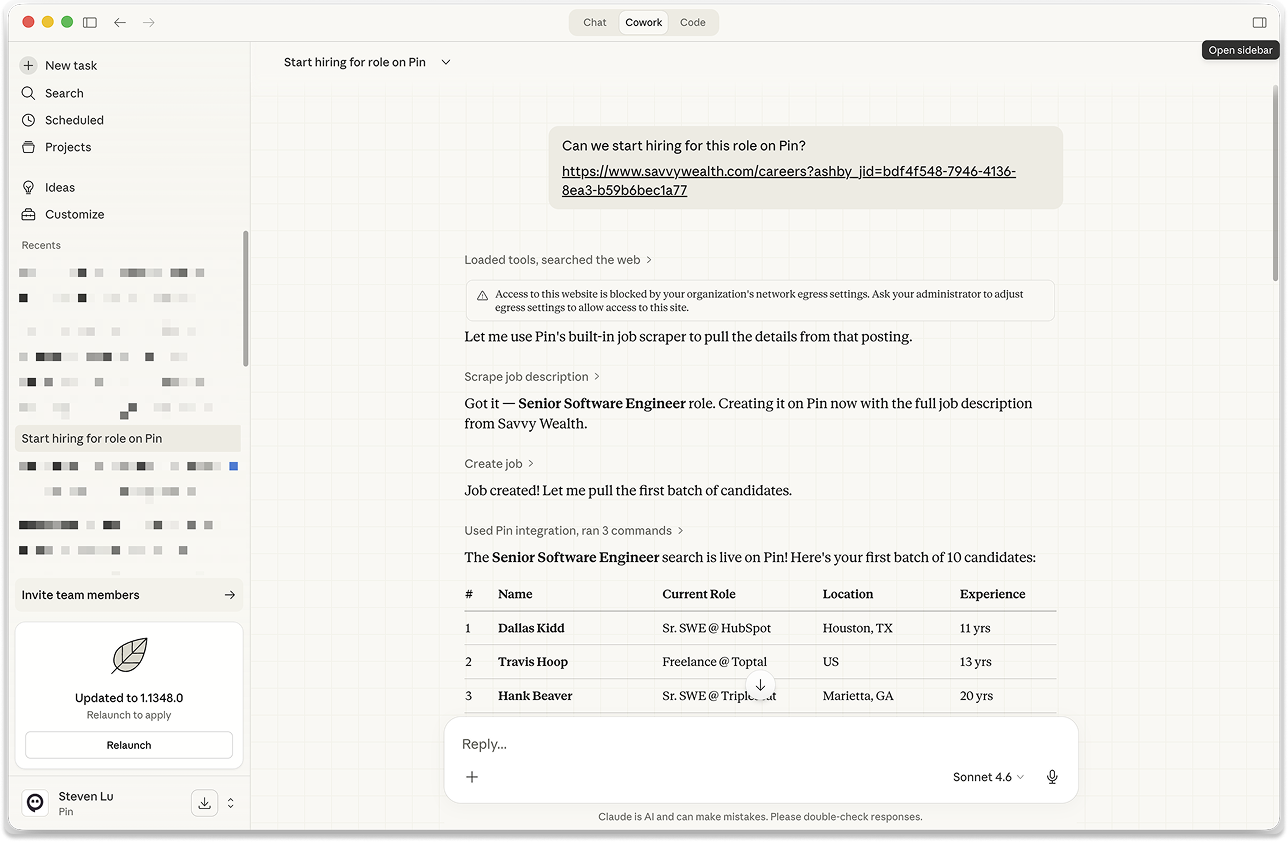
Pin now offers an MCP connection for your favorite AI's like Claude Desktop or OpenAI. If you're interested in trying our beta, please reach out to our team and we'll add you to the invite list!