15 Advanced Boolean Search Strings for Recruiters (2026)
15 advanced Boolean search strings you can copy and paste today. Covers LinkedIn, Google X-ray, and Indeed for roles where 72% of employers struggle to hire.
15 advanced Boolean search strings you can copy and paste today. Covers LinkedIn, Google X-ray, and Indeed for roles where 72% of employers struggle to hire.
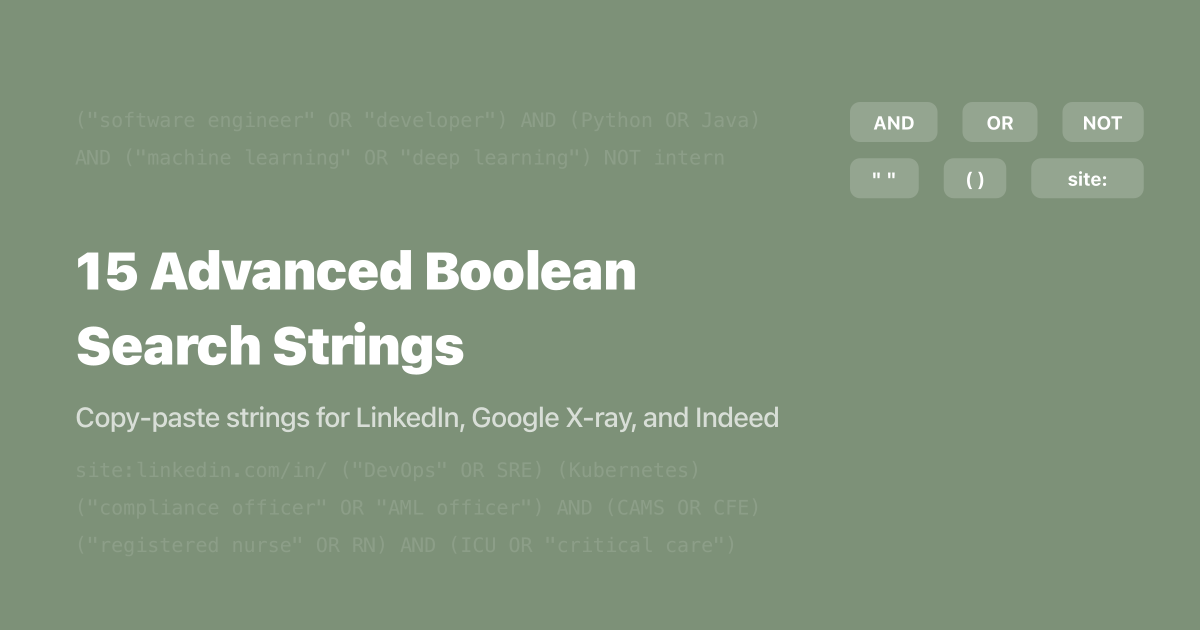
Here are 15 advanced Boolean search strings you can copy, paste, and start using today to source hard-to-fill roles across LinkedIn, Google X-ray, and Indeed. Each string targets a specific role category - from AI/ML engineers to cybersecurity analysts to C-suite executives - with every operator explained so you can modify it for your own searches. If you've mastered the basics and need production-ready Boolean search strings for real hiring scenarios, this is your reference.
These strings matter because the talent market hasn't gotten easier. According to ManpowerGroup's 2026 Global Talent Shortage Survey (39,000 employers across 41 countries), 72% of employers report difficulty filling roles - and AI skills have overtaken engineering and traditional IT as the hardest capabilities to find globally. Recruiters who can write precise Boolean strings cut through that noise. Teams using Boolean techniques cut their time-to-hire by 34%, according to Top Echelon's sourcing research.
If you need a refresher on operators like AND, OR, NOT, quotes, and parentheses, start with our Boolean search cheat sheet for recruiters. This guide assumes you already know the basics and want production-ready strings for specific roles.
TL;DR: 15 copy-paste Boolean strings for LinkedIn, Google X-ray, and Indeed - organized by role category. Each string targets a hard-to-fill position where 72% of employers struggle to hire (ManpowerGroup, 2026). Strings cover tech, healthcare, sales, executive, and agency-specific searches with operator breakdowns and platform notes.
Every string in this guide follows the same structure: title variations grouped with OR, required skills connected with AND, and exclusions applied with NOT. Parentheses control the order of operations. Here's what you need to know before you start pasting.
LinkedIn Recruiter and LinkedIn free search: Paste strings into the Keywords or Boolean fields. LinkedIn supports AND, OR, NOT, quotes, and parentheses. It does not support wildcards (*) or the +/- operators, according to LinkedIn's official help documentation. Always use straight quotes ("), never curly quotes.
Google X-ray: Strings use the site:linkedin.com/in/ prefix to search LinkedIn profiles through Google. Google supports wildcards, intitle:, and inurl: operators that LinkedIn's own search engine doesn't. This makes X-ray searches more flexible for creative sourcing. Our X-ray search guide covers this technique in depth.
Indeed: Paste Boolean strings into the "what" field. Indeed handles AND and OR reliably but its NOT operator is inconsistent - it sometimes ignores exclusions. Always double-check Indeed results for excluded terms.
Modifying these strings: Swap out the terms inside any parenthetical group to match your specific role. The structure stays the same. If you're sourcing a DevOps engineer in Chicago instead of a cybersecurity analyst in New York, replace the title group and location group while keeping the operator logic intact.
| Operator | LinkedIn Recruiter | Google X-ray | Indeed |
|---|---|---|---|
| AND | ✅ Must be uppercase | ✅ Implicit (space = AND) | ✅ |
| OR | ✅ Must be uppercase | ✅ Must be uppercase | ✅ |
| NOT / Exclude | ✅ Must be uppercase | ✅ Use minus sign (-) | ⚠️ Inconsistent |
| Exact phrase ("") | ✅ Straight quotes only | ✅ | ✅ |
| Parentheses () | ✅ | ✅ | ✅ |
| Wildcards (*) | ❌ Not supported | ✅ | ✅ |
| site: operator | ❌ | ✅ | ❌ |
| intitle: / inurl: | ❌ | ✅ | ❌ |

Tech roles account for the longest time-to-fill in most organizations. Engineering positions take 58 to 62 days to fill on average, according to SHRM's 2025 recruiting benchmarks. AI skills have overtaken traditional engineering as the hardest capability to find globally (ManpowerGroup, 2026). These five Boolean search strings target the tech roles recruiters struggle with most - each one tested across real sourcing workflows.
("machine learning engineer" OR "ML engineer" OR "AI engineer" OR "deep learning engineer" OR "applied scientist") AND (Python OR PyTorch OR TensorFlow OR JAX) AND ("large language model" OR LLM OR "natural language processing" OR NLP OR "computer vision") NOT (intern OR internship OR student OR professor)
Why it works: The title group captures five common variations for AI/ML roles. The skills group requires at least one core ML framework. The specialization group targets candidates with hands-on LLM or NLP experience - the hottest subcategories - rather than general ML practitioners. NOT exclusions remove academic profiles that would flood your results.
Platform note: Works on LinkedIn Recruiter and LinkedIn free search. For Google X-ray, add site:linkedin.com/in/ at the start and replace NOT with the minus sign (-).
Pro tip: Add AND ("Series A" OR "Series B" OR "startup" OR "early-stage") if you're hiring for a startup and want candidates with prior startup experience.
("DevOps engineer" OR "site reliability engineer" OR SRE OR "platform engineer" OR "infrastructure engineer" OR "cloud engineer") AND (Kubernetes OR Docker OR Terraform OR "CI/CD") AND (AWS OR Azure OR GCP OR "Google Cloud") NOT (junior OR intern OR recruiter OR sales)
Why it works: DevOps titles vary wildly between companies. "Platform engineer" and "infrastructure engineer" are increasingly common replacements for the traditional DevOps title. The skills group requires container orchestration or infrastructure-as-code experience alongside at least one major cloud provider. The NOT group removes entry-level and non-technical profiles.
Platform note: LinkedIn Recruiter compatible. If results are too broad, add a location filter directly in LinkedIn's UI rather than adding city names to the string - LinkedIn's location filter is more accurate than keyword matching.
site:linkedin.com/in/ ("full-stack developer" OR "full stack developer" OR "fullstack engineer" OR "software engineer") (React OR Angular OR Vue OR "Next.js") (Node.js OR Python OR Ruby OR Go OR Java) -intern -junior -recruiter -"looking for"
Why it works: Google X-ray lets you search LinkedIn profiles without LinkedIn's search limitations. The minus signs (-) act as NOT operators. Including both frontend frameworks and backend languages ensures candidates have genuine full-stack capability, not just frontend developers who listed "Node.js" once in a course section.
Platform note: Google X-ray only. The site: operator and minus signs don't work inside LinkedIn's search bar. Add intitle:"senior" to prioritize senior-level candidates whose titles contain that word.
("cybersecurity analyst" OR "security engineer" OR "information security analyst" OR "SOC analyst" OR "penetration tester" OR "security operations") AND (SIEM OR "incident response" OR "vulnerability assessment" OR "threat detection" OR SOAR) AND (CISSP OR CISM OR "Security+" OR CEH OR OSCP) NOT (intern OR student OR professor OR "entry level")
Why it works: The certification group is what makes this string powerful. Cybersecurity has dozens of overlapping titles, but certifications are a reliable signal of experience level. Requiring at least one recognized cert (CISSP, CISM, Security+, CEH, or OSCP) immediately filters out career changers and junior candidates who haven't invested in formal credentialing.
Pro tip: For cleared cybersecurity roles (government/defense), add AND ("secret clearance" OR "top secret" OR "TS/SCI" OR "security clearance") to the string.
("data engineer" OR "data platform engineer" OR "analytics engineer" OR "ETL developer" OR "data infrastructure engineer") AND (Spark OR Airflow OR dbt OR Snowflake OR Databricks OR BigQuery) AND (Python OR Scala OR SQL) NOT (intern OR "data analyst" OR "business analyst" OR "data entry")
Why it works: The NOT group is critical here. "Data engineer" searches on LinkedIn return thousands of data analysts and business analysts. Excluding those terms, plus "data entry," dramatically cleans up results. The tools group (Spark, Airflow, dbt, Snowflake) targets candidates with modern data stack experience rather than legacy ETL developers.
Pin's AI scans 850M+ profiles without Boolean syntax - try it free.
Healthcare and regulated industries present unique Boolean challenges. Candidates use highly specific certifications, licensure abbreviations, and clinical terminology that generic searches miss entirely. According to SHRM's 2025 Talent Trends report, 69% of organizations report difficulty recruiting - and healthcare roles consistently rank among the hardest to fill.
("registered nurse" OR RN OR "critical care nurse" OR "ICU nurse") AND ("intensive care" OR ICU OR "critical care" OR CCU OR CCRN) AND (BSN OR "Bachelor of Science in Nursing" OR MSN) NOT (LPN OR LVN OR CNA OR "travel nurse" OR "per diem")
Why it works: The certification and degree requirements (BSN/MSN, CCRN) filter for nurses with both the education and specialty credentials hospitals require for ICU positions. Excluding LPN, LVN, and CNA removes lower-credential profiles. The "travel nurse" and "per diem" exclusions target permanent-placement candidates only.
Platform note: Use in Indeed's "what" field. Set the "where" field separately - Indeed's location filter outperforms Boolean location terms. If Indeed's NOT operator drops some exclusions (a known inconsistency), review results manually for LPN/CNA profiles.
("clinical research associate" OR CRA OR "clinical monitor" OR "clinical trial associate" OR "site monitor") AND ("Phase I" OR "Phase II" OR "Phase III" OR "Phase IV" OR "GCP" OR "Good Clinical Practice") AND (oncology OR immunology OR "rare disease" OR neurology OR cardiology) NOT (coordinator OR assistant OR intern OR "data entry")
Why it works: CRA is an overloaded acronym - it can mean Community Reinvestment Act or California Retired Association in other contexts. Adding clinical trial phase terms (Phase I through IV) and GCP ensures you're pulling clinical research professionals, not financial compliance officers. The therapeutic area group (oncology, immunology, etc.) narrows to your specific trial focus.
Pro tip: Replace the therapeutic area group with your specific indication. Sponsors and CROs care deeply about indication-specific experience. A CRA with oncology trial experience is more valuable to an oncology program than a generalist with twice the years.
("compliance officer" OR "compliance manager" OR "compliance analyst" OR "regulatory affairs" OR "BSA officer" OR "AML officer") AND ("Bank Secrecy Act" OR BSA OR AML OR "anti-money laundering" OR "KYC" OR "know your customer" OR "OFAC") AND (CAMS OR CFE OR CRCM OR "Series 7" OR "Series 24") NOT (intern OR coordinator OR "entry level" OR paralegal)
Why it works: Financial compliance is a narrow field with strict credentialing. The certification group (CAMS, CFE, CRCM, Series licenses) signals candidates who've passed rigorous exams specific to anti-money laundering and regulatory compliance. Without these filters, "compliance" returns HR compliance, OSHA compliance, and dozens of unrelated roles.
site:linkedin.com/in/ ("research scientist" OR "senior scientist" OR "principal scientist" OR "staff scientist" OR "associate director") (CRISPR OR "gene therapy" OR "cell therapy" OR CAR-T OR mRNA OR "monoclonal antibody" OR "bispecific") (PhD OR "Ph.D." OR "doctorate") -intern -postdoc -professor -"looking for opportunities"
Why it works: Google X-ray is essential for biotech sourcing because LinkedIn's standard search struggles with highly technical terms. The modality group (CRISPR, CAR-T, mRNA, bispecific) targets candidates in the highest-demand therapeutic modalities of 2026. Excluding "postdoc" and "professor" focuses on industry-ready scientists, not academics who may not be interested in corporate roles.
Platform note: Google X-ray only. Adding "open to work" as an additional term finds candidates who've activated LinkedIn's job-seeking signal. But don't rely on it exclusively - most passive candidates don't toggle that setting.
Revenue-generating and leadership roles require a different Boolean approach. You're often searching for accomplishments and deal sizes rather than technical skills. According to LinkedIn's Future of Recruiting 2025 report, TA professionals using AI save 20% of their workweek - but executive and sales searches still rely heavily on well-crafted Boolean search strings because seniority signals are harder to automate. These three strings focus on quantifiable signals that separate high performers from average candidates.
("enterprise account executive" OR "senior account executive" OR "strategic account executive" OR "enterprise sales" OR "major accounts") AND (SaaS OR "B2B" OR "enterprise software" OR "cloud") AND ("President's Club" OR "exceeded quota" OR "$1M" OR "million" OR "enterprise deals") NOT (SDR OR BDR OR "sales development" OR intern OR coordinator)
Why it works: The accomplishment group is the differentiator. "President's Club," "$1M," and "exceeded quota" surface candidates who mention quantifiable achievements on their profiles. Most enterprise sales searches stop at title + industry, which returns hundreds of average performers. This string filters for proof of results.
Pro tip: Add AND (Salesforce OR HubSpot OR "Gong" OR "Outreach") if your tech stack compatibility matters. Sales tool experience is a proxy for process sophistication.
("product manager" OR "senior product manager" OR "group product manager" OR "head of product" OR "director of product") AND (fintech OR "financial technology" OR payments OR lending OR "digital banking" OR neobank OR "open banking") AND ("product-led growth" OR "PLG" OR "0 to 1" OR "zero to one" OR "launched" OR "shipped") NOT (intern OR coordinator OR "project manager" OR "program manager")
Why it works: "Product manager" is one of the most overloaded titles in tech. Adding fintech-specific terms and builder signals ("0 to 1," "launched," "shipped") separates genuine fintech product builders from generic PMs who happened to work at a bank. The NOT group excludes project/program managers - a common source of false positives.
site:linkedin.com/in/ ("vice president" OR VP OR "chief" OR "C-suite" OR "general manager" OR "managing director") ("P&L" OR "revenue growth" OR "board of directors" OR "IPO" OR "M&A" OR "private equity" OR "transformation") (SaaS OR "technology" OR "software" OR "digital") -recruiter -consultant -advisor -"open to work"
Why it works: Executive searches demand Google X-ray because LinkedIn's standard search limits how many senior profiles you can view. The business impact terms ("P&L," "revenue growth," "IPO," "M&A") target executives who write about operational accomplishments, not just title-holders. Excluding "consultant" and "advisor" removes fractional executives and board-only members who aren't likely to accept a full-time role.
Platform note: Google X-ray only. For executive sourcing, also try site:boardroominsiders.com or site:crunchbase.com/person to find profiles that don't appear on LinkedIn.
Agency recruiters face a different set of challenges: cleared roles with restricted candidate pools, high-volume manufacturing positions where speed matters more than precision, and remote-first searches where location is irrelevant but timezone matters. These three Boolean search strings are built for agency-speed sourcing workflows where every day on a req costs money.
("security clearance" OR "top secret" OR "TS/SCI" OR "secret clearance" OR "public trust") AND ("systems engineer" OR "software engineer" OR "network engineer" OR "intelligence analyst" OR "cybersecurity") AND (DoD OR "Department of Defense" OR NSA OR CIA OR "defense contractor" OR "cleared facility") NOT (intern OR "entry level" OR recruiter)
Why it works: Cleared roles are among the hardest to fill because the candidate pool is inherently limited by government background investigations. This string surfaces candidates who explicitly mention their clearance level alongside defense-sector experience. The DoD/agency terms verify that candidates have actually worked in classified environments, not just applied for a clearance.
Pro tip: Many cleared candidates can't list specific programs on LinkedIn. Pair this Boolean string with Dice Boolean searches, which have stronger defense contractor coverage. Also check ClearedJobs.net and ClearanceJobs as supplementary platforms.
("manufacturing engineer" OR "process engineer" OR "industrial engineer" OR "production engineer" OR "quality engineer") AND ("lean manufacturing" OR "Six Sigma" OR "continuous improvement" OR kaizen OR "5S") AND (AutoCAD OR "SolidWorks" OR "CAD" OR SAP OR "ERP") NOT (intern OR student OR "entry level" OR "summer")
Why it works: Manufacturing engineering candidates cluster on Indeed more than LinkedIn because many come from industries where LinkedIn adoption is lower. The methodology group (Lean, Six Sigma, kaizen) targets candidates with process optimization experience. The tools group (AutoCAD, SolidWorks, SAP) verifies hands-on technical capability rather than purely managerial backgrounds.
Platform note: Indeed is the primary platform for this search. Set location in Indeed's "where" field. For nationwide searches, leave location blank and add AND ("willing to relocate" OR "open to relocation") if relocation is an option.
site:linkedin.com/in/ ("software engineer" OR "senior software engineer" OR "staff engineer" OR "backend engineer" OR "frontend engineer") ("remote" OR "distributed" OR "work from home" OR "fully remote") (Python OR Java OR Go OR TypeScript OR Rust) ("US" OR "United States" OR "EST" OR "PST" OR "CST" OR "UTC-5" OR "UTC-8") -intern -junior -recruiter
Why it works: Remote hiring has exploded, but finding candidates who explicitly mention remote experience (not just remote interest) requires specific Boolean terms. The timezone group ensures candidates overlap with your team's working hours - the most common dealbreaker in remote hiring. Google X-ray picks up "remote" mentions in profile headlines and summaries that LinkedIn's filters miss.
Pro tip: For international remote candidates, replace the timezone group with ("EMEA" OR "Europe" OR "GMT" OR "CET" OR "UTC+0" OR "UTC+1") to match your preferred region.
Boolean search is a powerful skill, but it has limits. Even the best string can only match keywords - it can't understand context, infer transferable skills, or interpret career trajectories. According to Gartner's 2025 HR Technology research, AI adoption in recruiting hit 43% and is projected to reach 81% by 2027. That growth isn't replacing Boolean - it's filling the gaps where Boolean falls short.
Consider the limits. Boolean strings can't tell the difference between a candidate who "managed a team of ML engineers" and one who "is an ML engineer." They can't identify a supply chain analyst whose skills transfer perfectly to an operations role. And they require you to anticipate every possible title variation, skill synonym, and certification abbreviation - miss one, and those candidates become invisible.
AI sourcing tools work differently. Instead of matching keywords, they analyze context, career patterns, and skill adjacencies across entire profiles. Pin's AI scans 850M+ candidate profiles and delivers qualified shortlists without writing a single Boolean operator. Recruiters using Pin fill positions in approximately 2 weeks, with a 48% response rate on automated outreach.
As Rich Rosen, Executive Recruiter at Cornerstone Search, puts it: "Absolutely Money maker for Recruiters... in 6 months I can directly attribute over $250k in revenue to Pin."
The smartest approach? Use Boolean for precision searches where you know exactly what you want, and use AI sourcing for discovery searches where the right candidate might not match your keyword assumptions.
Skip the Boolean and source with Pin's AI ->

The 15 strings above cover common roles, but you'll need to build custom Boolean search strings for niche positions. Here's the framework that makes every string in this guide work - a repeatable four-part structure you can apply to any role.
Part 1: Title variations (OR group). List every title your target candidate might use. A single role can have 4-8 legitimate titles depending on company size, industry, and region. "Software engineer" and "software developer" describe the same job at different companies. Don't assume candidates use your preferred title. Check LinkedIn profiles of people already doing the role and note what they actually call themselves.
Part 2: Required skills (AND group). Connect must-have skills with AND. Keep this group to 2-4 terms maximum. Every AND term narrows your results exponentially. If you add five required skills, you'll get a handful of results - or none. The goal isn't to describe your ideal candidate perfectly. It's to filter out obviously wrong matches while keeping the pool large enough to work with.
Part 3: Qualifying signals (AND group). This is what separates basic Boolean from advanced Boolean search strings. Add certifications, accomplishments, degree requirements, or industry-specific terms that signal genuine qualification. In healthcare, that's certifications like CCRN or BSN. In sales, it's "President's Club" or "$1M." In tech, it's specific frameworks or architectural patterns.
Part 4: Exclusions (NOT group). Remove the profiles that consistently pollute your results. Start with "intern," "student," and "entry level" for senior searches. Add role-specific noise terms only after running the string without exclusions first. Over-excluding is the second most common Boolean mistake (after missing parentheses).
The complete structure looks like this:
(title 1 OR title 2 OR title 3) AND (skill 1 OR skill 2) AND (qualifier 1 OR qualifier 2) NOT (exclusion 1 OR exclusion 2)
Save your best strings somewhere accessible. Most recruiters build a personal library of 20-30 Boolean search strings organized by role family, then modify them for each new req instead of starting from scratch. That library becomes one of your most valuable sourcing assets over time.
Even experienced recruiters make Boolean errors that silently kill their search quality. Here are the five most common mistakes - and how to fix them.
1. Skipping parentheses with mixed operators. The string "software engineer" AND Python OR Java doesn't do what you think. Without parentheses, most platforms read it as ("software engineer" AND Python) OR Java - returning every profile that mentions Java, regardless of title. Fix: "software engineer" AND (Python OR Java).
2. Over-excluding with NOT. Adding NOT manager removes candidates who "managed a team" or "managed projects." Their experience mentions "manage" in a context you want to keep. Use NOT sparingly and test your string without exclusions first.
3. Missing title variations. Searching only "software engineer" misses "software developer," "SDE," "SWE," "application developer," and half a dozen other synonyms. Every title group should include 4-6 variations minimum.
4. Using wildcards on LinkedIn. LinkedIn doesn't support asterisks (*). Writing develop* won't match "developer" or "development" - it'll be treated as the literal word "develop*." Only Google X-ray and some ATS platforms support wildcards.
5. Forgetting platform-specific syntax. NOT on LinkedIn must be uppercase. Google uses the minus sign (-) instead of NOT. Indeed's NOT is unreliable. Each platform's quirks can silently break your string. When in doubt, test a simplified version first, then add complexity.
The most effective string combines 4-6 title variations, 2-3 required programming languages, and specific exclusions. For example: ("software engineer" OR "software developer" OR SDE OR SWE) AND (Python OR Java OR Go) AND ("distributed systems" OR "microservices") NOT (intern OR junior). Teams using Boolean cut time-to-hire by 34% (Top Echelon, 2025). For faster results without syntax, Pin's AI scans 850M+ profiles using natural language.
No. LinkedIn supports AND, OR, NOT, quotes, and parentheses but doesn't support wildcards (*). Google X-ray uses minus signs (-) instead of NOT and supports site:, intitle:, and wildcards. Indeed accepts Boolean in the "what" field but its NOT operator is inconsistent. Always test your string on each platform separately.
Healthcare Boolean strings require certification abbreviations (BSN, CCRN, CISSP) and licensure terms that general keyword searches miss. Structure as: (title variations) AND (specialty terms) AND (certifications/degrees) NOT (lower-credential roles). Including specific certifications is the fastest way to filter for qualified candidates in regulated fields.
Not entirely, but AI handles discovery searches better. Boolean works best when you know exactly what keywords to target. AI sourcing tools like Pin understand context and career trajectories - they find candidates whose skills transfer even when the keywords don't match. With 72% of employers struggling to hire (ManpowerGroup, 2026), most recruiters now use both: Boolean for precision, AI for breadth.
Skipping parentheses when mixing AND and OR operators. Without parentheses, platforms interpret your string differently than you intend - often returning thousands of irrelevant results. The string nurse AND ICU OR ER actually returns every profile mentioning "ER," not just nurses. Correct form: nurse AND (ICU OR ER). This single fix eliminates the majority of Boolean search errors.